

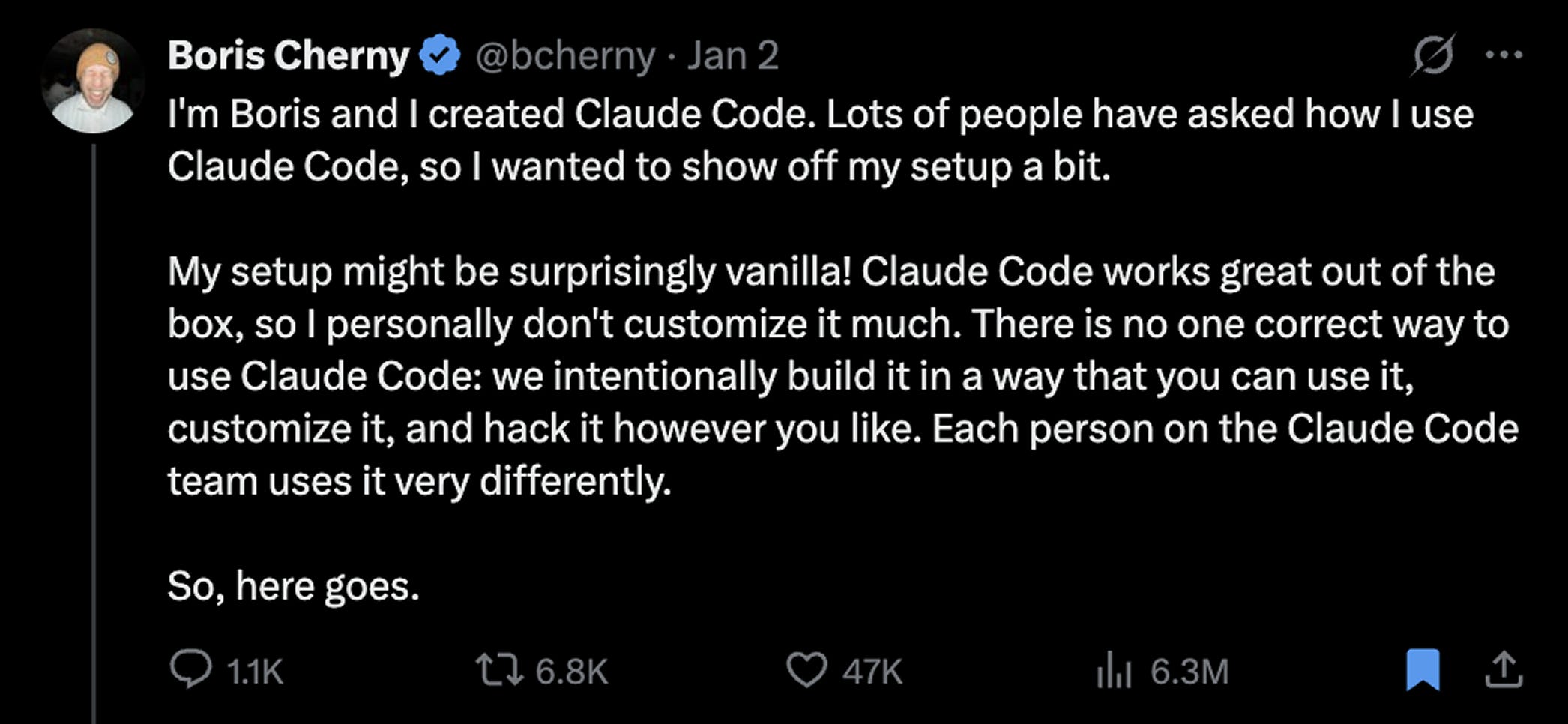
Over the holidays, Boris Cherney, the creator of Claude Code, posted a thread that made me feel two things at once: validated, and slightly behind.
The headline was simple. In the last 30 days, every code change he shipped to Claude Code was written by Claude Code itself.

He included the stats, hundreds of pull requests, hundreds of commits, tens of thousands of lines, but they weren’t the point. He was still doing the work, just at a different layer, guiding a system capable of extending itself.
A few days later, he followed that post with something far more useful: ten concrete practices that make this way of working possible. No grand theory. Just a collection of tips for how he actually works, day to day.
Most of them I was already doing, and had written about here. But three stood out, two of them I started doing a month or so ago, and another one I recently started doing after reading his tips.
The Seven I’ve Already Covered
The tips I’ve talked about before:
Run multiple Claudes in parallel: I typically run 4 terminal sessions. Boris runs 5 with numbered tabs and system notifications.
Use Opus 4.5 for everything: He says it’s the best coding model he’s ever used. Slower than Sonnet, but you steer it less, so it’s faster in practice.
Share a team CLAUDE.md: Their whole team contributes to one file in git. My addition: use
CLAUDE.local.mdfor personal overrides.Start sessions in Plan mode:
shift+tabtwice. Go back and forth on the plan until you like it, then switch to auto-accept and let Claude one-shot it.Use subagents: Automate your common workflows. Code simplifier, test runner, whatever you do on most PRs.
Use slash commands: Every “inner loop” workflow should be a command. Boris uses a custom slash command
/commit-push-prdozens of times a day. I’ve been using a skill for this, but honestly, it makes more sense to create a slash command for this purpose.Use /permissions instead of --dangerously-skip-permissions: Pre-allow safe commands. Check them into
.claude/settings.json.
If you want deep dives on any of these, check out my recent articles. They’re there.
Now here’s what I haven’t talked about yet…
1. Parallel Browser and Local Claudes

Boris runs five local Claude Code sessions in his terminal. I usually run four. But on top of that, he runs five to ten Claudes in the browser at claude.ai/code, simultaneously, and moves work between them.
Two commands make this possible:
The & prefix: sends a task from your terminal to run in the cloud.
& refactor the auth middleware to support token rotationThis offloads the task to claude.ai/code. Your local terminal is free immediately. The task runs asynchronously in the browser.
The --teleport flag: pulls a browser session back to your local terminal with full context.
claude --teleport <session-id>You can start a task on mobile, let it run while you’re offline, and pick it up on your laptop later. Nothing feels handed off or lost.
Setup Required (Don’t Skip This)
If you try the & command without setup, you’ll see this:
Cannot launch remote Claude Code session.

No environments available, please ensure you've gone through onboarding at claude.ai/code

The Claude GitHub app must be installed on this repository first.
Here’s the fix:
Step 1: Install the Claude GitHub App
Go to: https://github.com/apps/claude/installations/new
Select your GitHub account
Choose which repos to grant access to (or “All repositories”)
Click “Install & Authorize”
Step 2: Complete onboarding at claude.ai/code
Visit https://claude.ai/code and follow the prompts. You’ll connect your GitHub account and create your first cloud environment.
Step 3: Create a cloud environment
You’ll see three network access options:
None: Blocks all internet
Trusted: Downloads packages from verified sources only
Full: Unrestricted internet
Pick based on your paranoia level. “Trusted” is fine for most work. If you’re working on a public repo with no secrets, “Full” lets Claude access any URL it needs. If you’re paranoid about exfiltration, use “None.”
You can create multiple environments with different settings and switch between them.
Step 4: Verify
Back in your terminal:
& take a screenshot of the repo structureIf it launches a web session, you’re good.
At 10-15 parallel Claude instances, you stop working with an assistant. You start managing a distributed team.
One caveat: Claude Code on the web runs with --dangerously-skip-permissions by default. That’s the point, it’s sandboxed, so Claude can move fast without asking permission for every bash command. But it means you’re trusting the sandbox. For most repos, that’s fine. For repos with production secrets, think twice about the “Full” network option. Read more about this, below:
Timeline:
--teleportshipped October 20, 2025 with Claude Code on the Web&prefix shipped in v2.0.45, around November 20, 2025
Docs:
2. PostToolUse Hooks for Formatting

Claude is already good at generating readable code. What it sometimes misses is the last 10%: formatting, linting, import ordering, the tiny inconsistencies that become CI failures or review churn.
The fix is a PostToolUse hook.
After Claude edits files, the hook automatically runs your formatter. Prettier. Black. go fmt. Whatever your stack uses.
Here’s an example of an actual config (goes in .claude/settings.json or ~/.claude/settings.json):
{
  "hooks": {
    "PostToolUse": [
      {
        "matcher": "Edit|Write",
        "hooks": [
          {
            "type": "command",
            "command": "npx prettier --write \"$CLAUDE_FILE_PATHS\""
          }
        ]
      }
    ]
  }
}
Claude Code sets $CLAUDE_FILE_PATHS automatically, it contains the paths of whatever files were just edited.
The result: code lands closer to production-ready by default.
This isn’t glamorous. But it removes an entire class of friction that compounds.
Something isn’t working? Use claude --debug to see hook execution details if it’s not working as intended.
Docs: https://code.claude.com/docs/en/hooks
3. Updating CLAUDE.md During PR Review

When Claude makes a mistake, most people fix the issue and move on. Boris takes it a step further. During code review, he tags Claude directly on the PR and asks it to update the shared CLAUDE.md file.
The file lives in the repo. It’s version-controlled. It’s maintained collaboratively. And it acts as the system’s memory.
Here’s the flow:
Claude generates code
A reviewer notices a recurring issue
Instead of just fixing the code, they tag
@.claudeon the PRClaude adds guidance to CLAUDE.md
That guidance is versioned and applied to future runs
This uses the Claude Code GitHub Action:
/install-github-actionThe goal: you no longer have to fix the same class of mistake repeatedly. You eliminate it upstream. The system learns the team’s constraints, preferences, and failure modes over time.
This is compounding engineering… except the learner is non-human.
Docs: https://code.claude.com/docs/en/github-actions
If you adopt only one of these, start with parallel sessions. If you adopt two, add hooks. If you adopt all three, you’re on your way to running an efficient system.